 Special Offer: All 53 Templates $49 Only
 (
($215)
 Special Offer: All 53 Templates $49 Only (
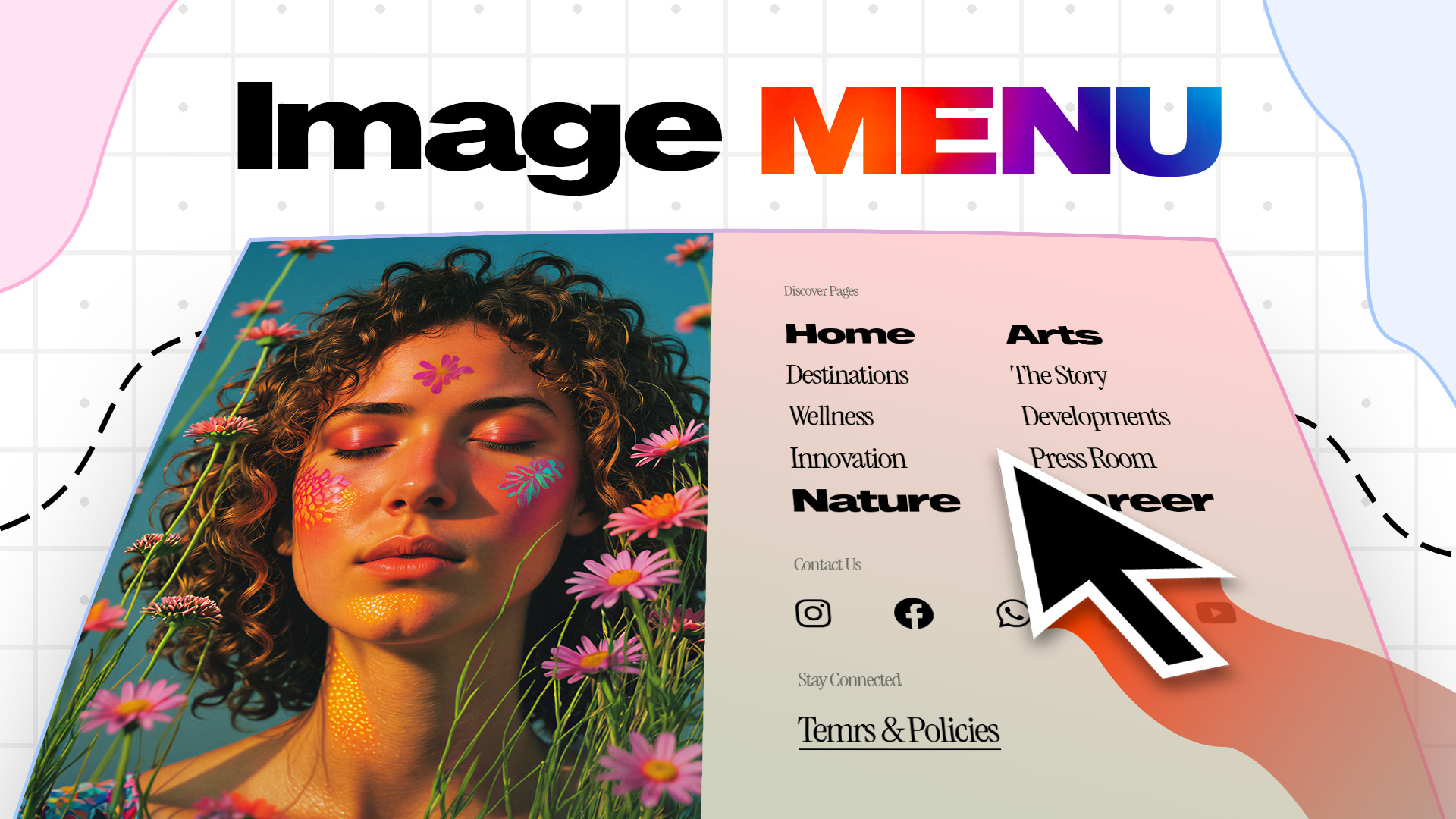
Modern Elementor Advanced Image Menu. Fully responsive on tablet and mobile devices!
Fixed, Transparent Version:
https://templates.makedreamwebsite.com/advanced-image-menu-v1/
Fixed, Non-transparent Version:
https://templates.makedreamwebsite.com/advanced-image-menu-v2/
Non-fixed, Transparent Version:
https://templates.makedreamwebsite.com/advanced-image-menu-v3/
Non-fixed, Non-transparent Version:
https://templates.makedreamwebsite.com/advanced-image-menu-v4/
To use this ready made template, you need to have Elementor and Elementor Pro. After downloading the .zip file and unzipping that, you’ll get 2 folders for both Container and Non-container(section/column) users. And inside each of them, you’ll get all the possible versions with their .json files. You just need to go to Theme Builder And Header option. And click on Add New. Then, inside the new header template upload option, upload that file and then insert that. Then, after clicking on the Publish button click on the Add Condition and set it for Entire Site and click on Save & Close.
And BOOM!!! Your advanced image menu is ready. You can change each and everything from the Navigator view. Form the instructions.pdf file, you’ll also get more instruction about it.
Note: Before importing make sure you have enabled the “Enable Unfiltered File Uploads” option. Go to Dashboard > Elementor > Advanced > Enable Unfiltered File Uploads, and make it enable.